

Your rec.
Room to breathe.
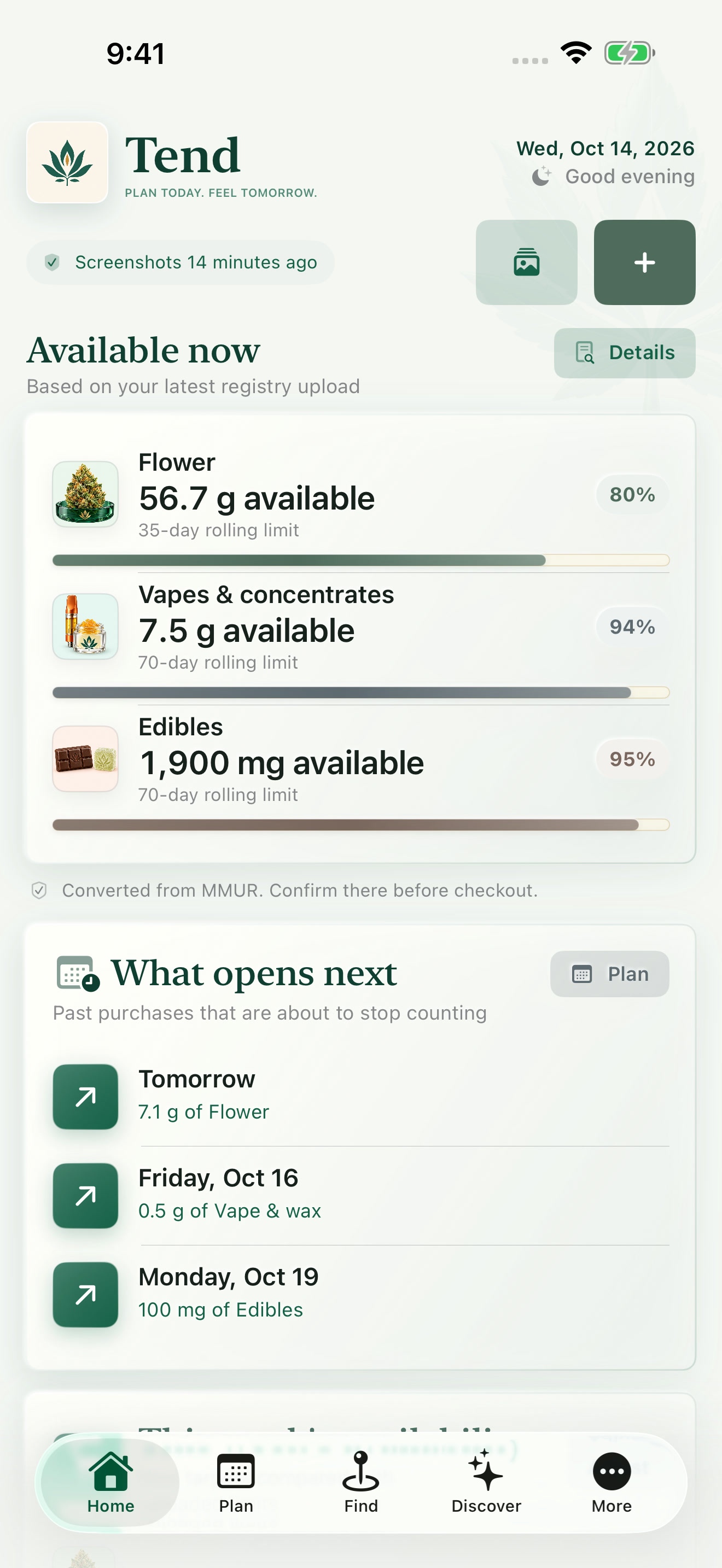
The iPhone beta
A little more
clarity awaits.
Your amounts, your dates, a little less back-and-forth. Let’s get Tend on your iPhone.
Open in TestFlight
- 01Open the invitation.
Use the button on your iPhone.
- 02Follow Apple’s prompts.
Install TestFlight if needed, then accept the Tend invitation.
- 03Make yourself at home.
Open Tend and follow the in-app setup.

On your computer?
Scan with your iPhone camera.
We’ll meet you there.
Beta availability is managed through TestFlight. Screens may differ from the current release. Tend is a planning tool—not medical advice or a live registry connection.